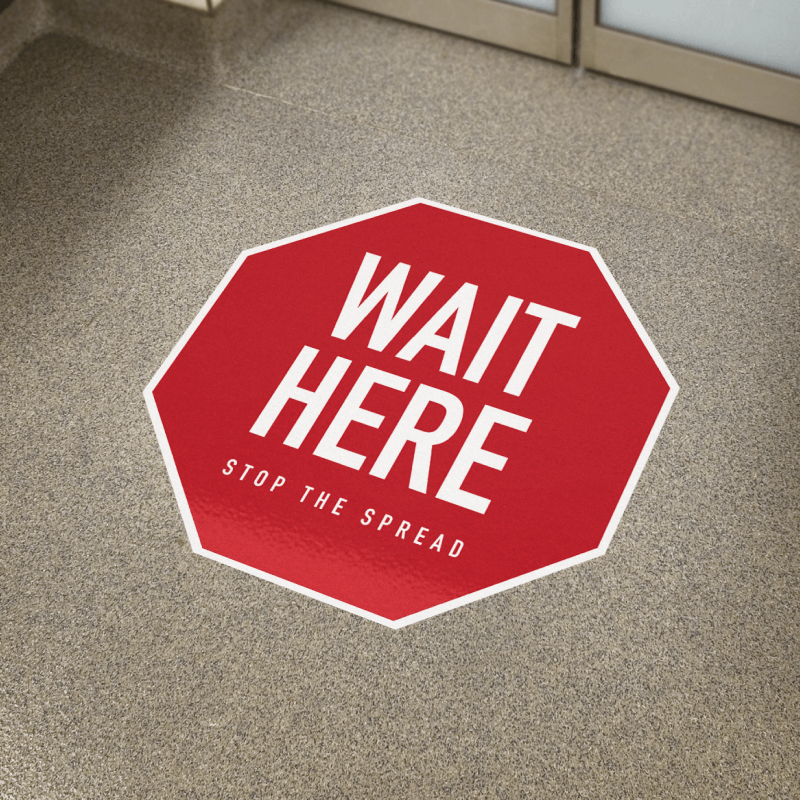
specifications
- Color
- Full color CMYK
- Quantities
- 50–1,000
- Sizes
- 4 available — 2" × 2", 3" × 3", 4" × 4", Custom (specify in notes)
- File Type
- PDF, SVG, AI
- Bleed
- 0.125"
- Safe zone
- 0.125"
- DPI
- 300
Description
Stickers printed on a premium adhesive vinyl with crisp 720 dpi colour and durable construction. Available as die-cut (vinyl + backing cut to the silhouette) or kiss-cut (vinyl cut to the silhouette inside a backing rectangle so it peels cleanly). Both formats are weather-resistant and survive normal handling indefinitely indoors and several years outdoors. Order online with instant pricing across common sizes; we run print-ready file checks (bleed, safe zone, CMYK, vector edges) before anything goes to press.
Die-cut or kiss-cut vinyl stickers. Indoor or outdoor weatherproof options.
How it compares
- When the silhouette is the brand — die-cut. When peelability and a printable backing matter — kiss-cut.
- If you need standalone signage with the same vinyl quality, a pull-up may serve you better than adhesive vinyl.
FAQs
What is stickers printed on?
A premium adhesive vinyl substrate engineered for the use case — indoor or outdoor — with a pressure-sensitive adhesive layer matched to either short-term or long-term installation.
What's the difference between die-cut and kiss-cut?
Die-cut means both the vinyl and the backing are cut all the way through to the sticker's silhouette — no backing rectangle, just the shape. Kiss-cut means only the vinyl is cut; the backing stays as a larger rectangle the sticker sits inside, which makes peeling easier and gives you printable space on the backing itself. Die-cut for brand-mark stickers where the silhouette is the design; kiss-cut for sticker packs and mass giveaways.
How do I prepare a print file?
Build at the final trim size with 0.125" bleed. Keep important text and logos at least 0.125" inside the trim. Export at 150–300 dpi in CMYK; outline fonts; flatten transparency. For cut-to-shape and die-cut products, include a cutter outline as a vector path on a separate spot-color layer named CutContour — we use that path to drive the cutter.
How do I install without bubbles or wrinkles?
Clean the surface with isopropyl alcohol or a degreaser — adhesive bonds to clean surfaces. For window and floor graphics, mist the surface with water + a drop of dish soap before applying so you can reposition. Squeegee from the centre outward in overlapping passes. Avoid installs below 50°F and above 90°F — adhesives cure differently at temperature extremes.
Need the dimensions, bleed and file-format requirements? See the full stickers specs →
No reviews yet
Be the first to review stickers.